2024
Dinesh & Divya
Objective
The objective of the project is to understand the payment and transactions of the existing Google Pay mobile application and conduct a comprehensive user survey and research to propose a redesign to elevate the user experience and, seamlessly building upon the existing framework.
Design Process
Discover
Define
Develop
Deliver
Understanding Gpay - Information Architecture | Focus area | Task analysis | User surveys and research | Insights
Problem statement | Brief
Solution Deliverables | Wireframes
High fidelity mockups | Before and after
Discover
Google Pay, a digital money transaction platform by Google, streamlines payment processes using UPI, allowing users to securely manage transactions. By integrating UPI, users can link their bank accounts directly to the app, facilitating quick and secure online and in-store payments. Supporting multiple payment methods including NFC, peer-to-peer transfers, and online transactions, Google Pay ensures versatility.


Google Pay plays a crucial role in driving the digital transformation of payment systems. By offering a convenient, secure, and versatile digital payment solution, Google Pay accelerates the shift away from traditional cash and card-based transactions towards digital payments, fostering greater financial inclusion and efficiency.


Google Pay stimulates economic growth and innovation by facilitating commerce and enabling businesses of all sizes to engage in digital transactions. By streamlining payment processes, reducing friction in transactions, and fostering a more efficient marketplace, Google Pay fuels entrepreneurship, drives consumer spending, and fosters innovation in the digital economy.
Google Pay contributes to promoting financial inclusion by providing access to modern payment solutions for underserved populations, including those without access to traditional banking services. With Google Pay, users can securely transfer funds, make purchases, and access digital financial services, regardless of their geographic location or socioeconomic status.
Google Pay significantly improves the user experience associated with making payments. Its intuitive interface, and support for various payment methods empower users with greater control, convenience, and flexibility in managing their finances, ultimately enhancing their overall satisfaction and loyalty.
Economic Growth and Innovation
Financial Inclusion
Enhanced User Experience
Digital Transformation


Importance of GPay
Information Architecture of GPay
Task Analysis
Unearthing App Issues: The Hypothetical Scenario Approach
Focus area
After understanding the structure of the application, a simulated user experience is constructed. This scenario presents the user with a series of tasks to complete within the app.
By observing the user's journey and any difficulties encountered, we can pinpoint areas of friction and potential flaws in the app's design. This user-focused approach provides valuable insights into how real people interact with the app, ultimately highlighting areas that need improvement.
Based on the secondary research and a thorough understanding of Google pay’s architecture, the primary focus areas would be related to Expense tracking and categorization of payments made.
Scenario
The scenario outlines a set of tasks as given below. The user will need to complete within the application. By observing their approach and any challenges they encounter, insights are drawn from their thought process and user experience. This technique allows to identify potential pain points and areas for improvement within the app's design.

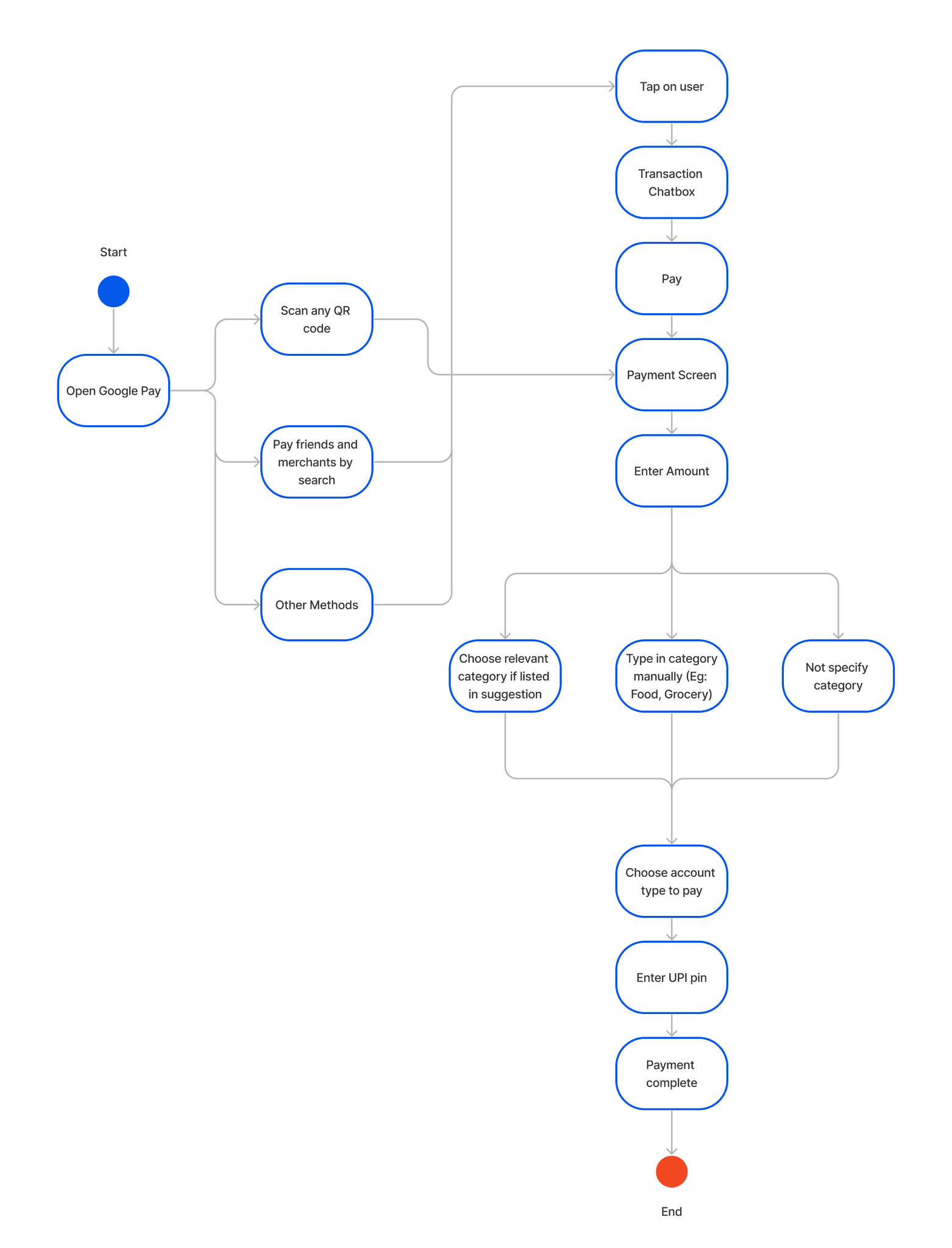
5 users were observed while performing the task and various task flows followed by the user is represented below.
Observation
User study
Discovering pain points
Scenario
Hypothetical Approach & Task
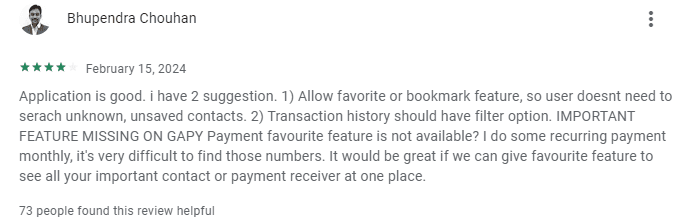
By using Google Pay, make a payment at a grocery store after purchasing the products by any approach that you usually follow.
Check the transaction made for food in the last one month using the google pay app.
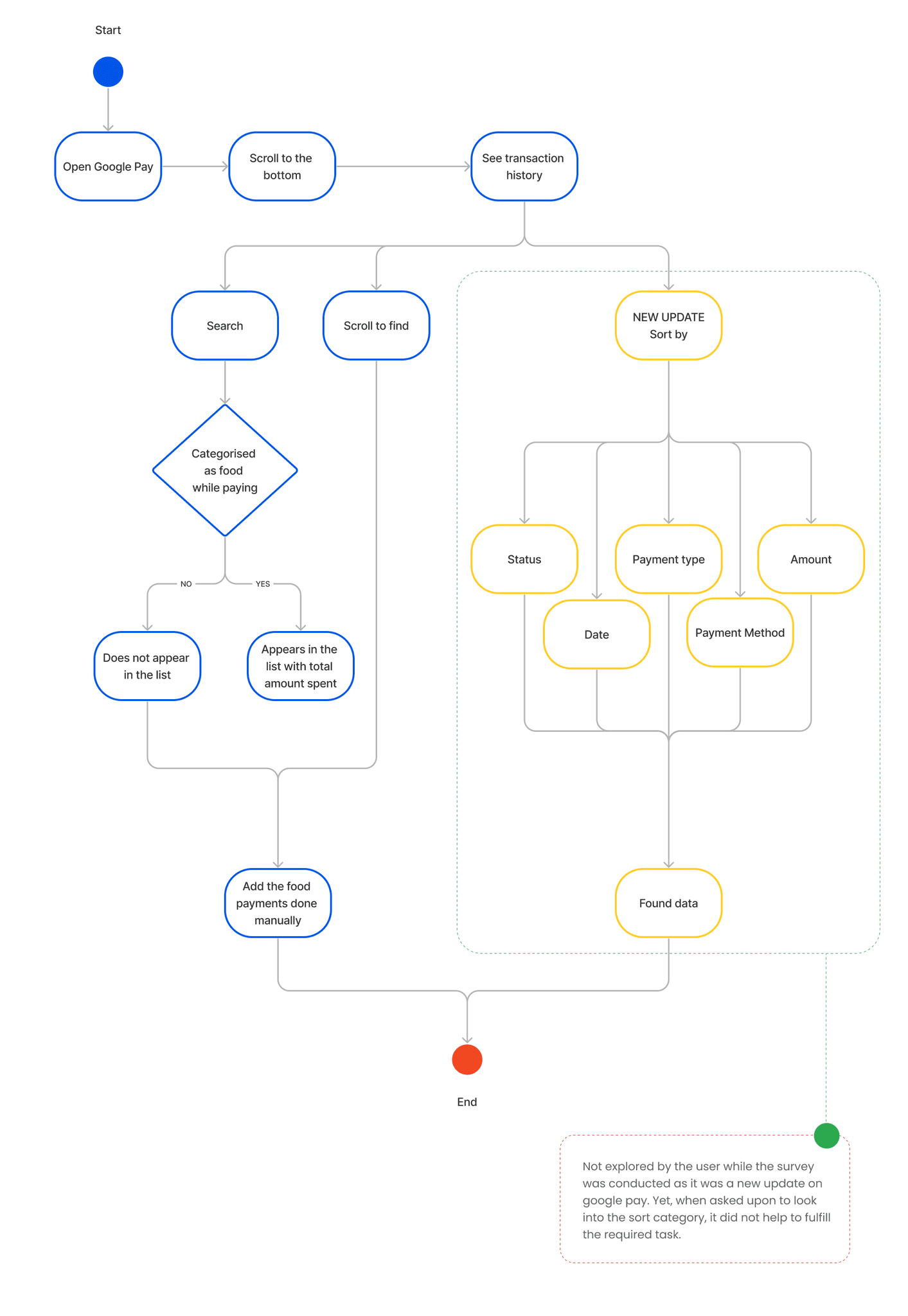
To gain a comprehensive understanding of online payment experiences, we conducted two user research initiatives:
By combining the findings from both approaches, we can gain a richer picture of the online payment user experience, encompassing both specific pain points and broader trends. The target user category for the research was set to 18-40 years.
Floated a Google Form to a wider audience spanning various age groups and professions who frequently utilize online payments. This broader survey provided valuable insights into general user trends and preferences.
Large-Scale Survey
Observed 5 individuals from diverse backgrounds complete specific tasks within a payment application. This allowed to closely examine their actions and identify any difficulties they encountered.
In-Depth Task Analysis


Combined Insights from User Research along with the empathy mapping of a set of chosen users.
Survey

Task Analysis
Frustrated with GPay's limitations.
Concerned about unidentified spending patterns.
Hopeful that a better tracking tool can help.
Empowered by taking charge of her finances.
GPay categorization is limited.
There are hidden patterns in her spending she's missing.
An expense tracing app can provide better insights.
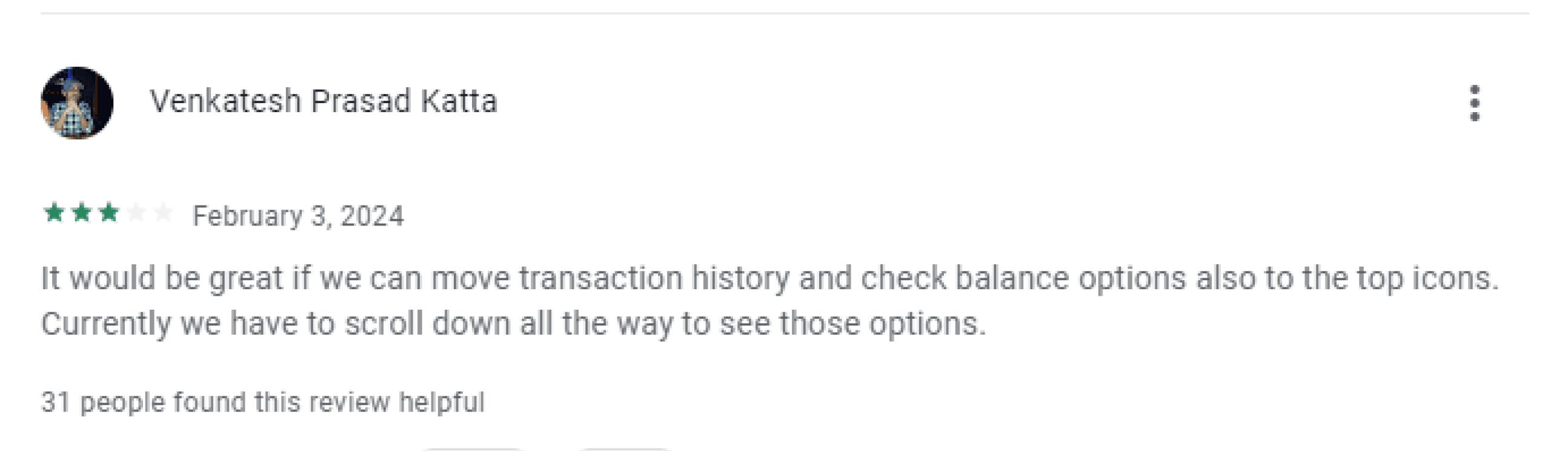
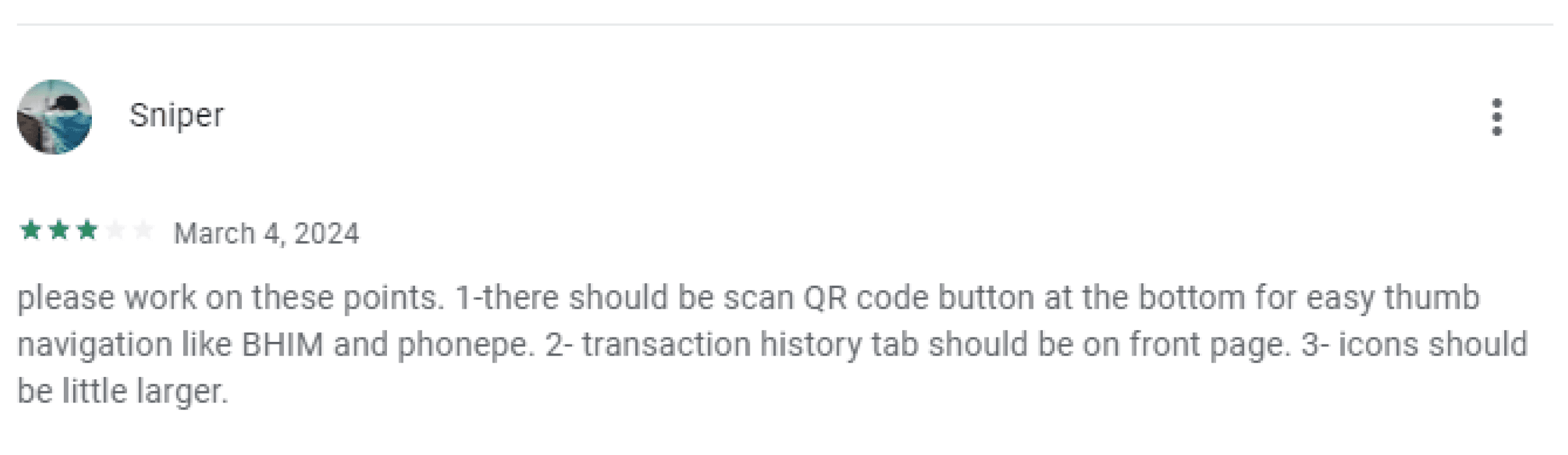
Easy Access to transactions on the landing screen rather than scrolling down to the end of page.
“I use GPay daily”
“GPay's transaction categorization is useful, but not detailed enough.”
“I want a clearer picture of where my money goes.”
“I use an expense tracing app to complement GPay.”
Use gpay for mostly all transactions only if the payment menthod demands otherwise, she uses other apps
Categorizes transactions within GPay (to some extent).
Uses a separate expense tracing app for more detailed tracking.
Likely reviews her spending regularly.
Ashwanthi is a Bangalore based Software Engineer working in a renowned IT company. She loves to shop and frequently goes out with her friends and colleagues for shopping. She uses GPay on a daily basis and finds it very useful and handy.
Ashwanthi (Age 30)
Feels
Thinks
Does
Says
Working Professional

Student
Survey
Task Analysis
Frustrated with the time it takes to manually track expenses.
Worried about managing his limited budget effectively.
Satisfied with the convenience of GPay for online transactions.
Open to using other payment apps when necessary.
There must be a better way to track spending without manual effort.
He needs to be mindful of his limited budget.
GPay is convenient for most online payments.
Other payment apps offer specific functionalities for occasional use.
“Tracking expenses manually is a hassle.”
“Most of my money goes towards bills and necessities.”
“I use GPay for most online payments.”
“I use other payment apps occasionally, depending on the situation.”
Uses GPay for online transactions.
Uses another app to track his spending (likely manually entering data).
Pays rent and monthly bills.
Spends on food and other necessities.
Jaisiram is a student studying design at National Institute of Design, Bengaluru. Most of his money goes in food, rent and other monthly bills. He uses external app to track expenses but finds it hard to enter the data manually. He uses Gpay for online payment but he also has other competitor apps for rare use if the payment demands for it.
Sriram (Age 23)
Feels
Thinks
Does
Says

Business
Survey
Task Analysis
Survey
Task Analysis
Comfortable with his current method of managing personal finances.
Apprehensive about additional features potentially complicating his system.
Secure knowing his business finances are separate.
Satisfied with the information provided by bank statements.
GPay is a reliable platform for personal payments.
Expense tracking apps might be unnecessary for his needs.
Maintaining clear separation between business and personal finances is important.
Expense tracing in the Gpay app will need a better categorization compared to bank statement
“GPay is convenient for daily personal transactions.”
“I don't use expense tracking apps.”
“Business finances are separate with a dedicated account.”
“I review personal spending through monthly bank statements.”
Uses GPay for personal transactions.
Reviews monthly bank statements for personal spending.
Maintains separate accounts for business and personal finances.
Karthik, a Hyderabad-based businessman, relies heavily on Google Pay for his daily personal transactions. Unlike many, he doesn't use separate expense tracking apps. He maintains a clear separation between his business and personal finances. Business transactions are handled through a dedicated bank account. For his personal spending, managed through his regular account, Karthik prefers traditional methods like reviewing monthly bank statements via email or net banking.
Vinoth (Age 34)
Feels
Thinks
Does
Says
User Study
Lack of detailed spending insights
An all-in-one app for payments and expense management
Security and privacy
Transaction categorization
Leveraging insights from primary research and a comprehensive understanding of customer needs gained through both primary and secondary sources, we will identify user pain points. This will then inform the development of a problem statement and a well-defined design brief.
Payments will now be linked to a dynamic category list. This list will per-populated with common categories as well as exisiting merchant identifiers but will intelligently adapt based on the specific details of your transaction. This ensures your spending is always categorized correctly.
5 / 5
Dont understand the data shown in the transaction history, they say there are a few missing expenses
15 / 25
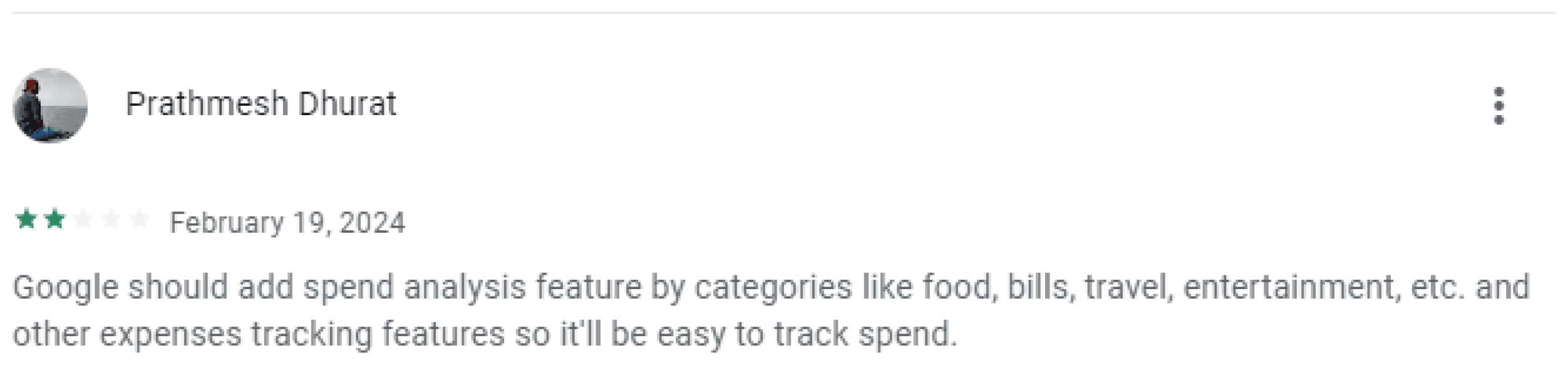
From the primary and the secondary research, we considered the primary focus area to be transaction categorisation and expense tracking made easy for the user. Here are some pain points and expectations from the users.
Found it difficult to search and get a transaction history of a particular category because they did not categorise the previous payments.
4 / 5
Did not use the sort option in transaction history page.
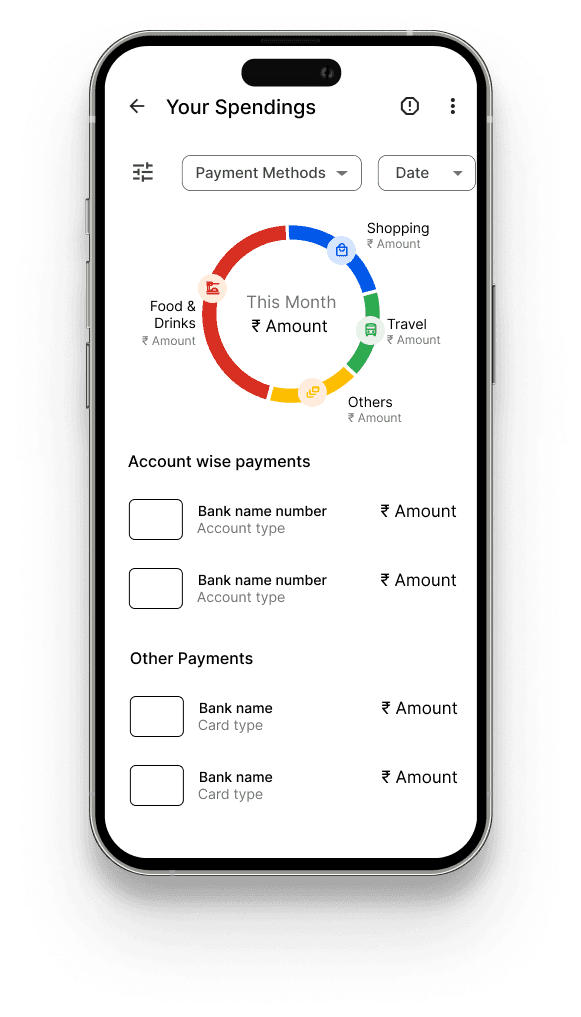
The Google Pay transaction history will now uses pie charts to visualize users main spending categories. Each category drills down to show a detailed breakdown of the spending, giving a clear picture of where user money goes.
21 / 30
23 / 30
Define
Did not use the add note option in the payment screen.
Task - 5
Total - 30
Develop
Survey - 25
Leveraging insights from primary research and a comprehensive understanding of customer needs gained through both primary and secondary sources, we will identify user pain points. This will then inform the development of a problem statement and a well-defined design brief.
10 / 25
Transaction Categorization
9 / 25
Wanted an easily accessible transaction shortcut in the beginning of the app.
16 / 25
Budget tracking with alerts
Budgeting tools
Number of participants
Solution Deliverables
A combined observation from Task analysis and Survey.
Redesign the Google Pay app to improve user experience (UX) by focusing on visually representing spending patterns and offer insights for better financial management.
Find Transaction history categorization useful
Discovering Pain points
Design Brief
3 / 5
Observations
Expense Visualisation
Lack of expense tracking
Problem Statement
Are Daily Gpay users
Use Expense tracing app outside google pay but do not find it handy
Inability to track cash expenses alongside digital transactions
Do not use any external expense tracking apps
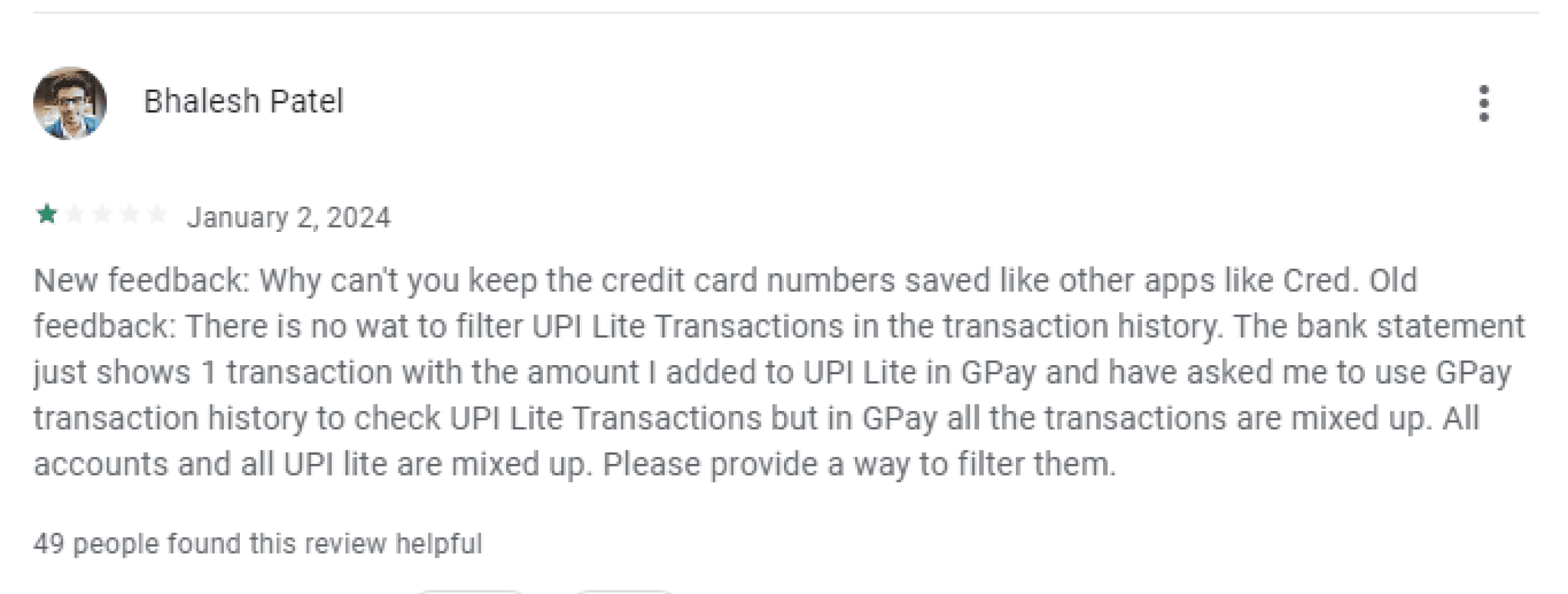
Many Google Pay users struggle to manage their finances effectively because the transaction history visualization lacks clarity and actionable insights. This makes it difficult for users to understand their spending patterns, which discourages active financial management within the app and ultimately hinders informed financial decision-making.
15 / 25
4 / 5
21 / 30
23 / 30
10 / 25
9 / 25
16 / 25
Wireframes
Deliver
The project deliverables include a high-fidelity prototype showcasing both new features and improvements to existing functionalities within the Google Pay app. A comparative analysis will be provided, including before and after screenshots to visually demonstrate screen improvements, and user flow comparisons to highlight how the user journey has been made easy through the redesign.
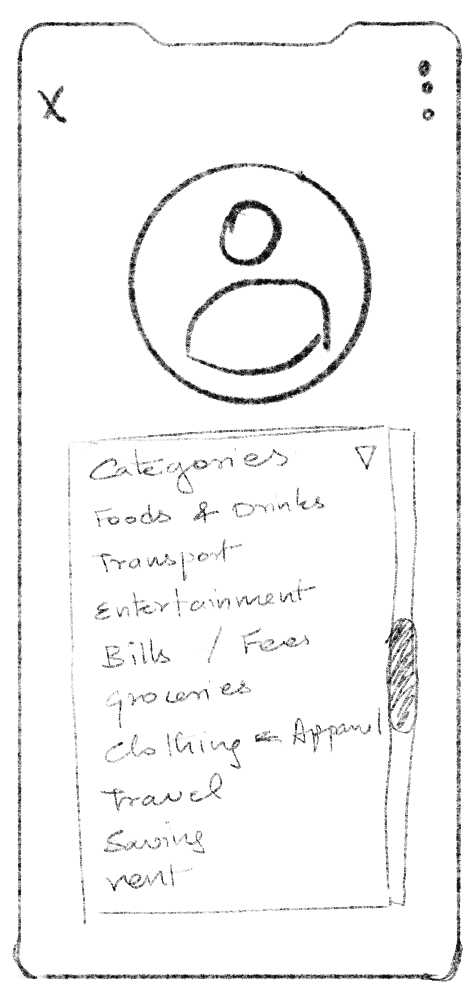
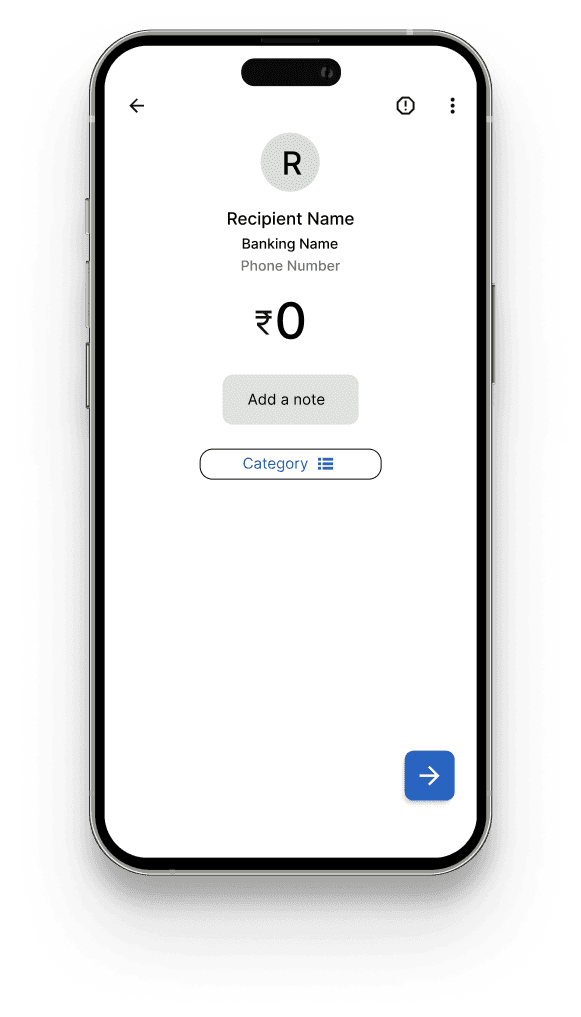
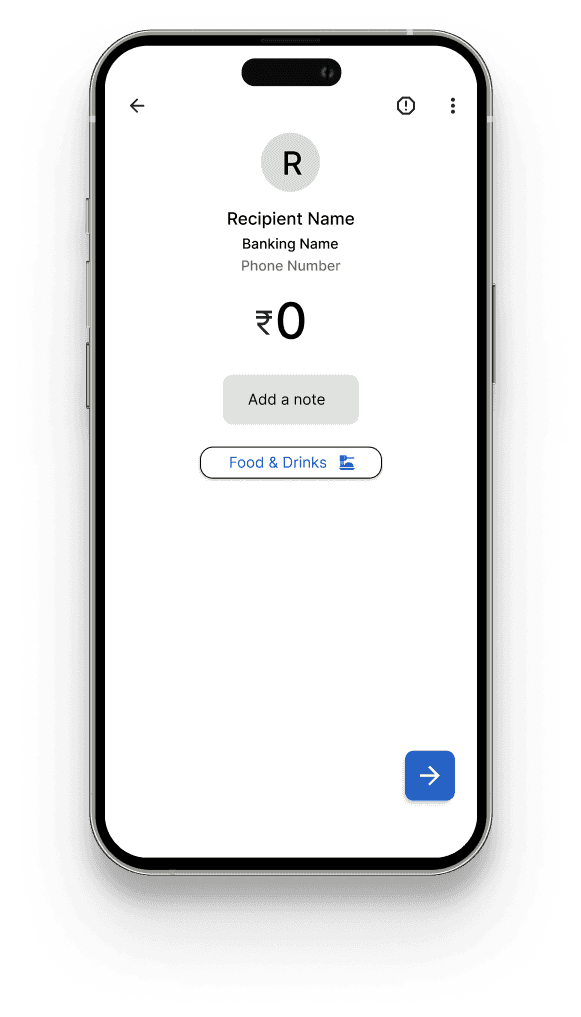
Category options
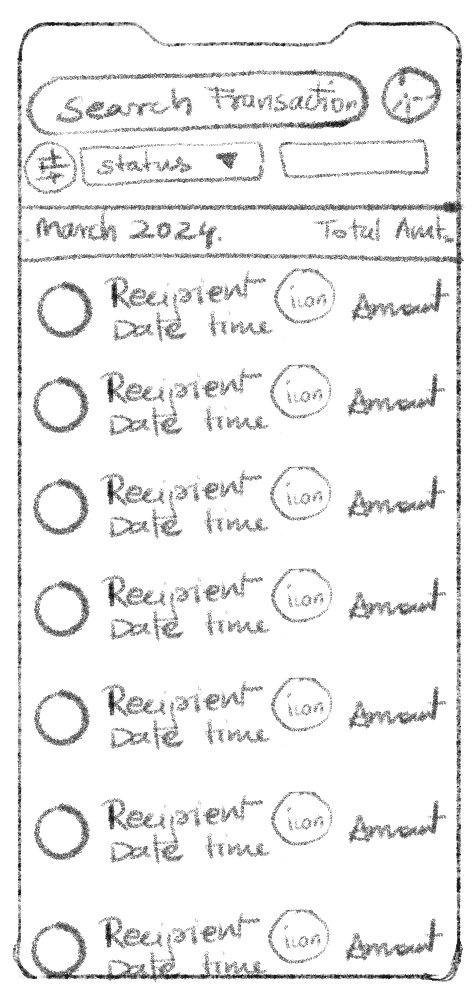
A small icon leading to the spending chart of the user is placed right next to search transaction making it easily accessible. There is also a direct access from the dashboard/home screen.
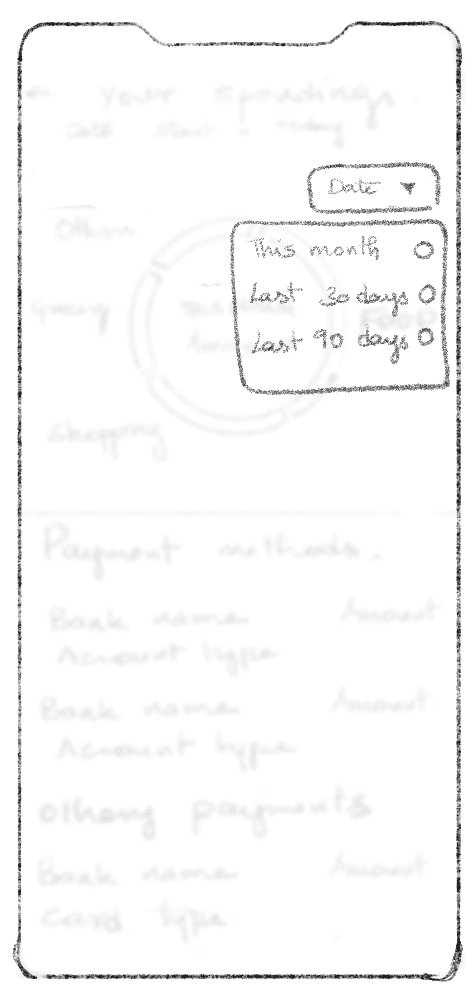
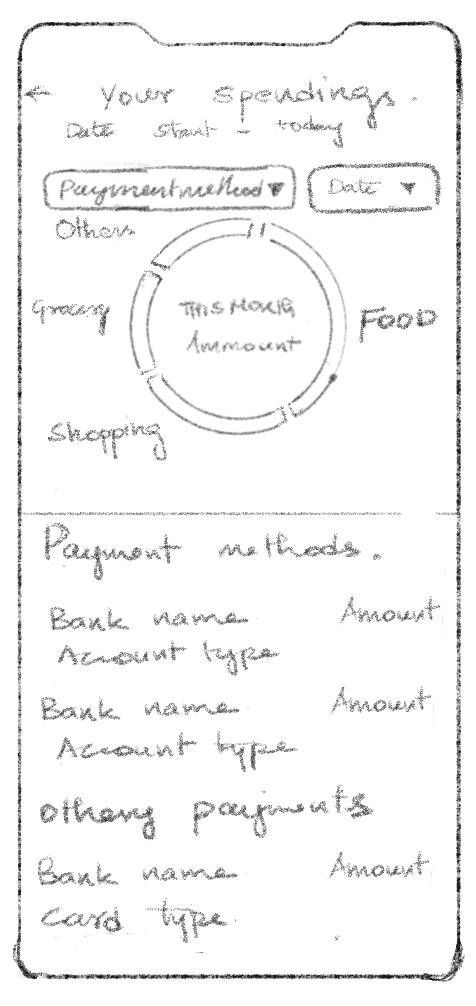
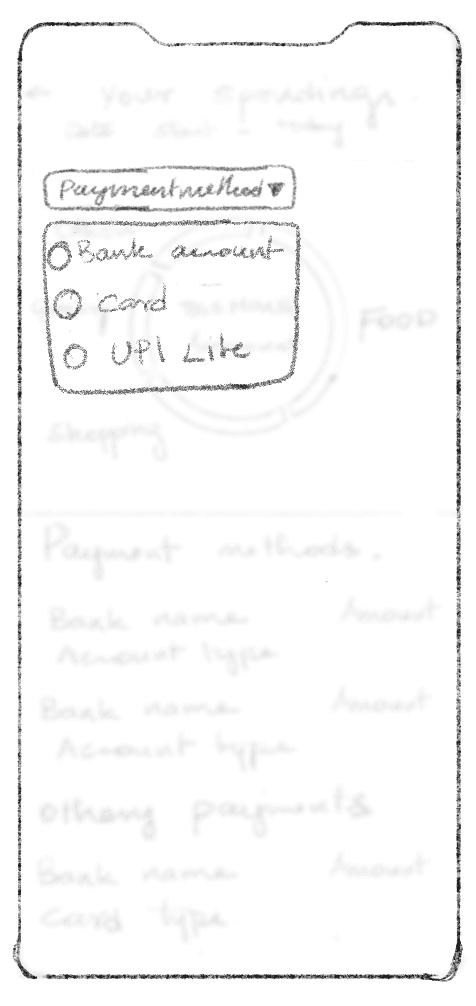
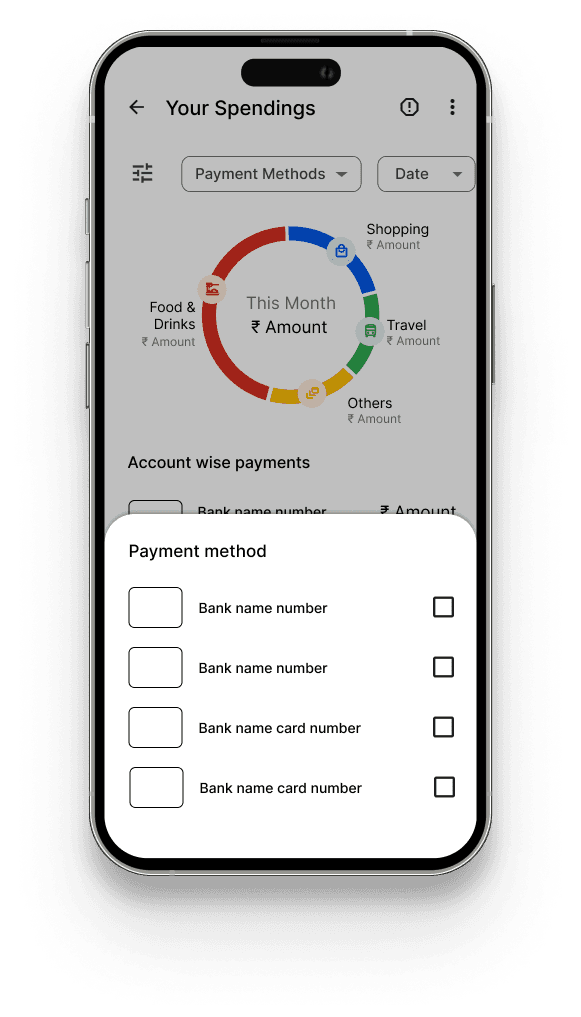
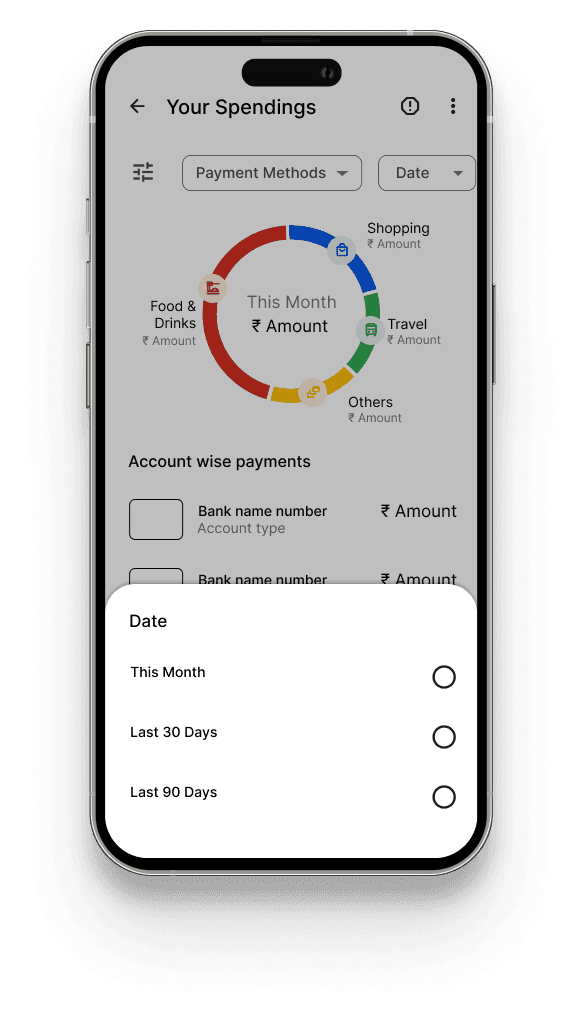
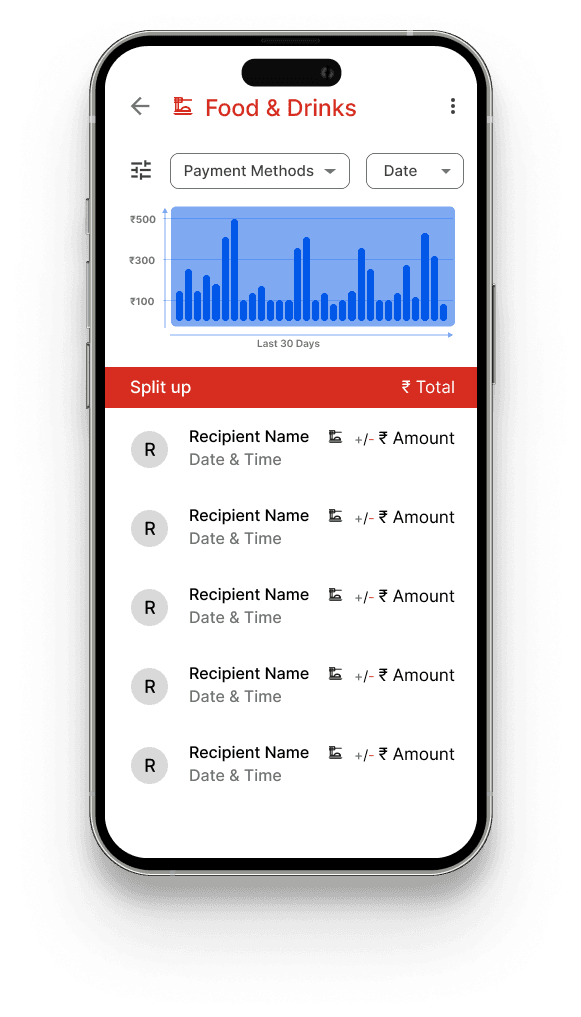
“Your spendings” screen consist of a pie graph specifying the major transactions as per larger categories. By tapping on the portion of the graph or by specifying the payment method and date you get a further detailed graph of a particular graph.
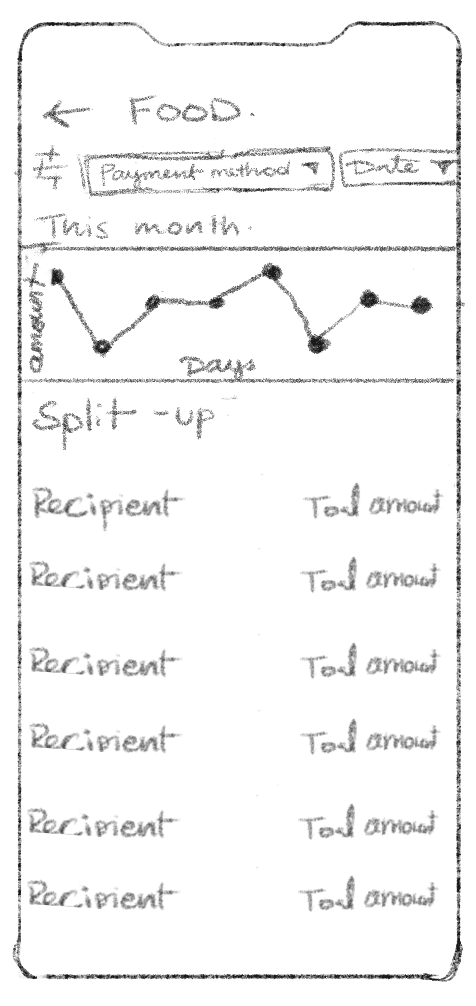
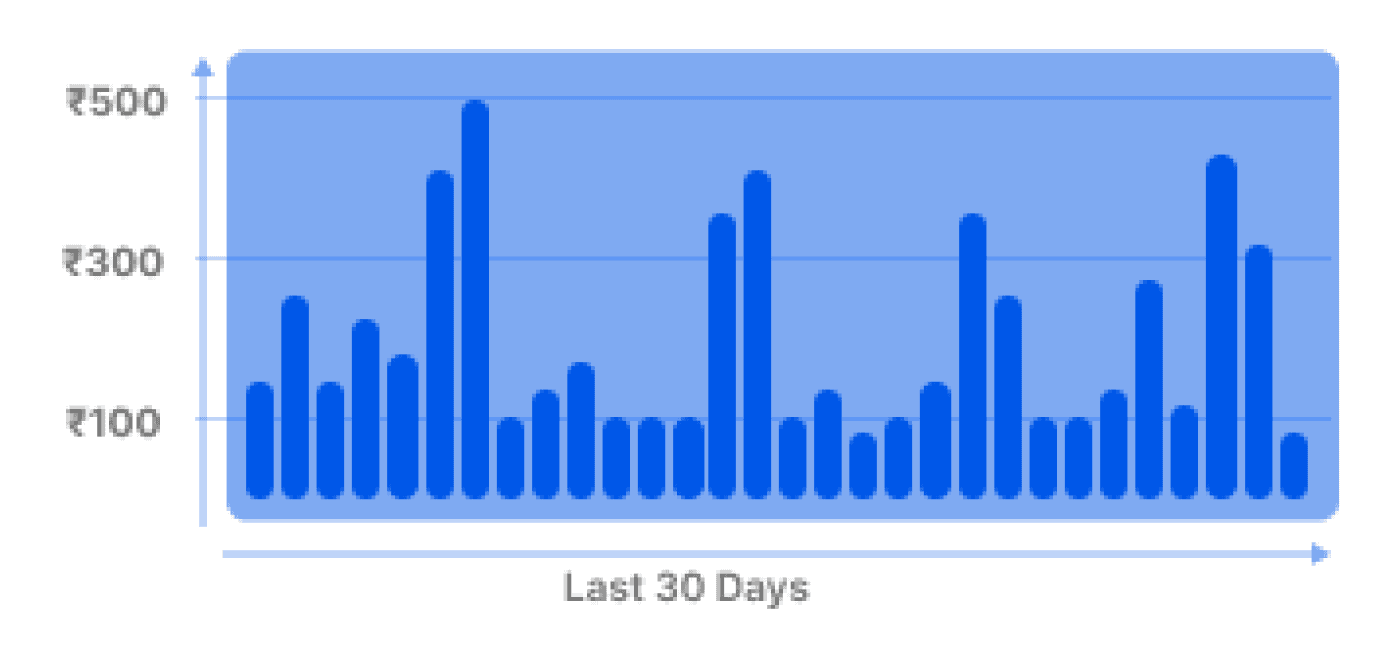
A graph is an easier way to understand the overall expenditure in a particular category. This will help the consumer optimise on the spending and try to control the spending on certain categories if it crosses
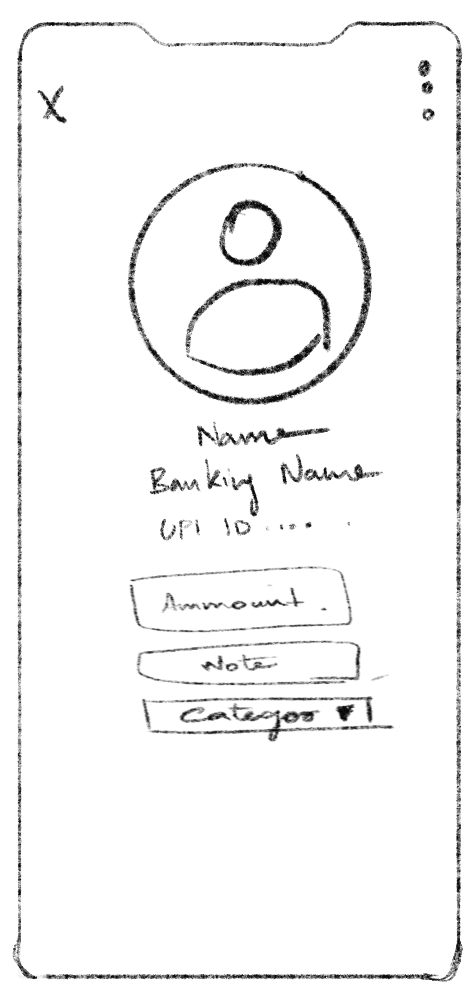
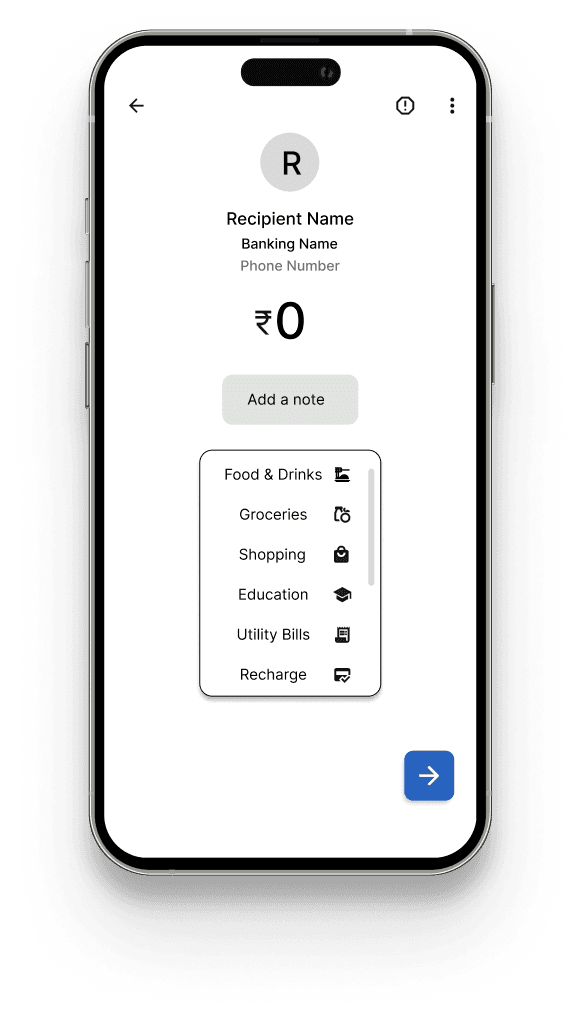
Pre populated dynamic categories that is scrollable
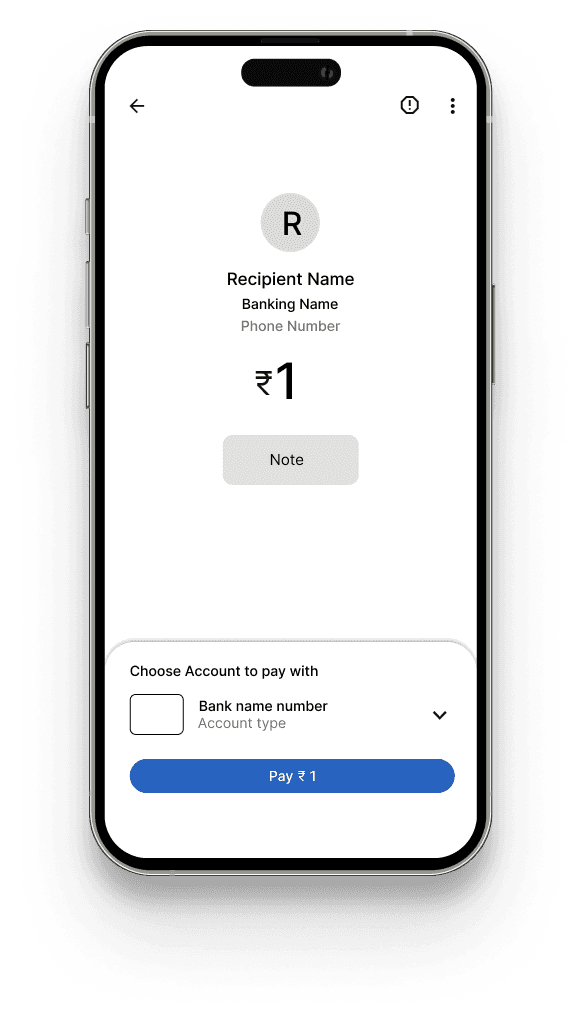
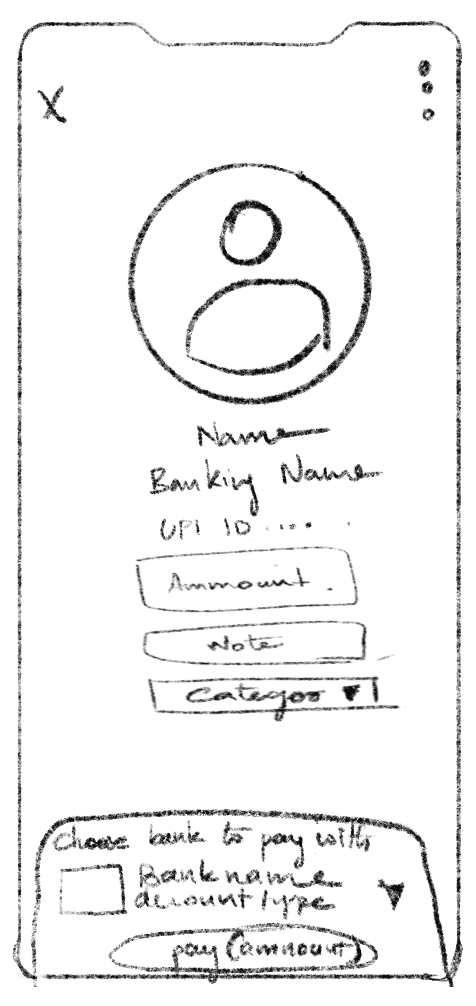
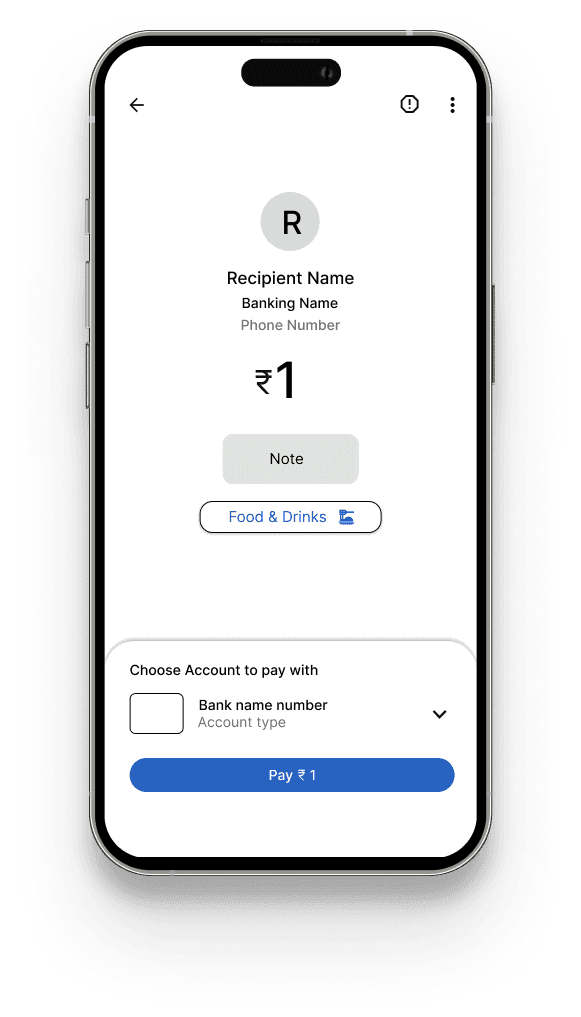
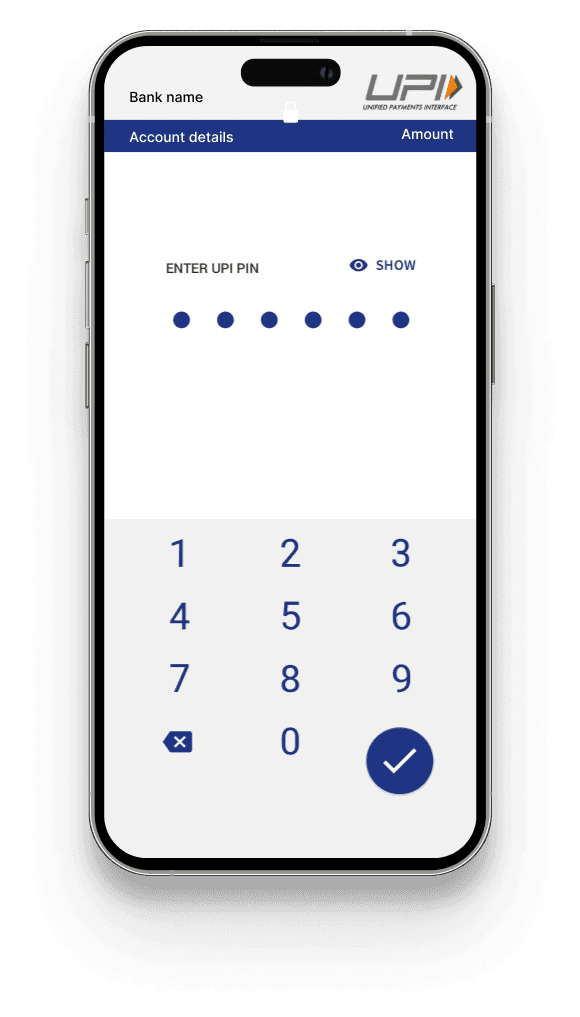
Upon selection it leads to the usual payment procedure
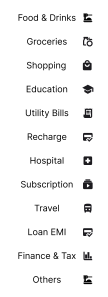
11 major categories like food and drinks, groceries, shopping, education, utility bills, recharge, hospital, subscription, travel, loan EMI, Finance and tax, others are listed as per-populated options to choose from. These were major categories that were listed by the users.
The list can adjust based on the payee type and the user's typical spending patterns.
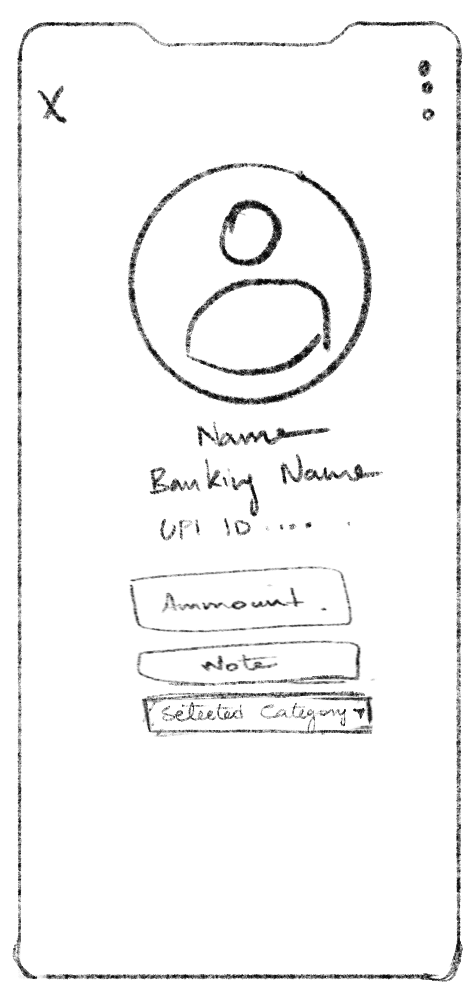
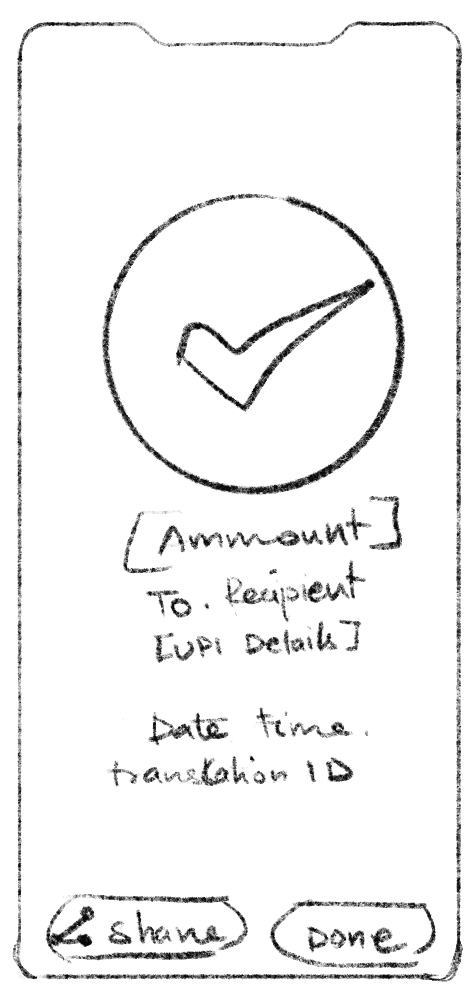
Hi Fi Model
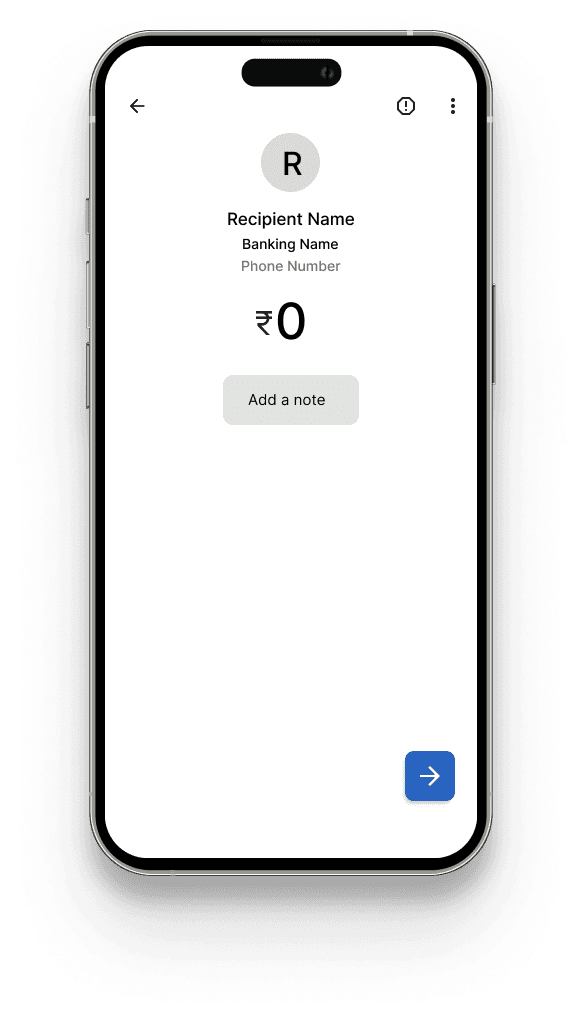
New Payment Screens & Categorization
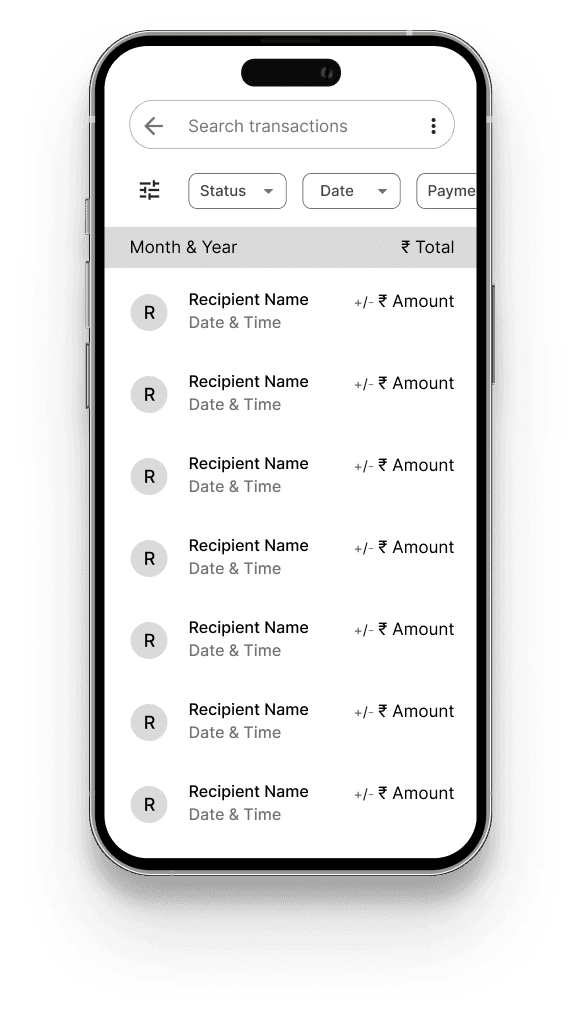
New Transaction History
New Spendings Dashboard
Category wise Spendings - Graph
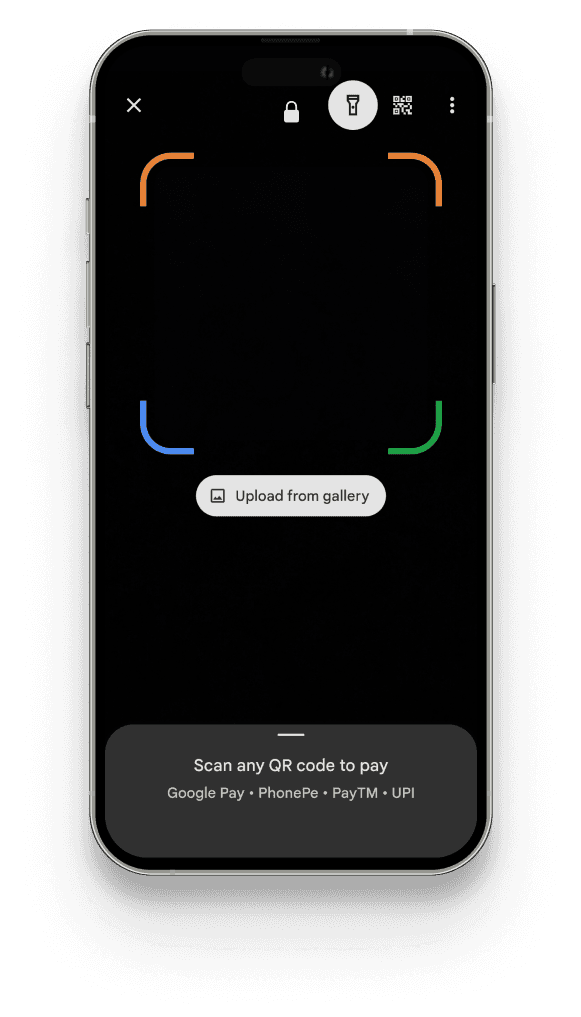
Scan the qr code / Any mode of payment
Selected category from the list
Add a note if required
Google Pay's redesigned transaction history utilizes pie charts for clear visualization of spending across primary categories. A robust search function allows users to filter by payment method, payment type or date, facilitating a comprehensive analysis of their financial activity.
Tapping the pie chart in Google Pay's transaction history reveals a detailed breakdown of expenses by day and payment method within each spending category. This granular view empowers users to analyze their spending habits with greater precision.
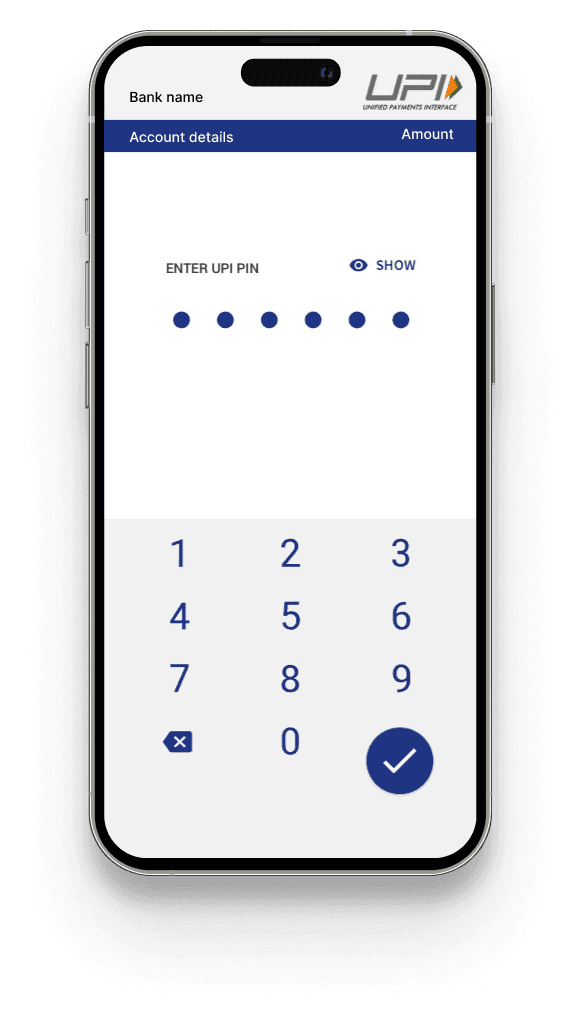
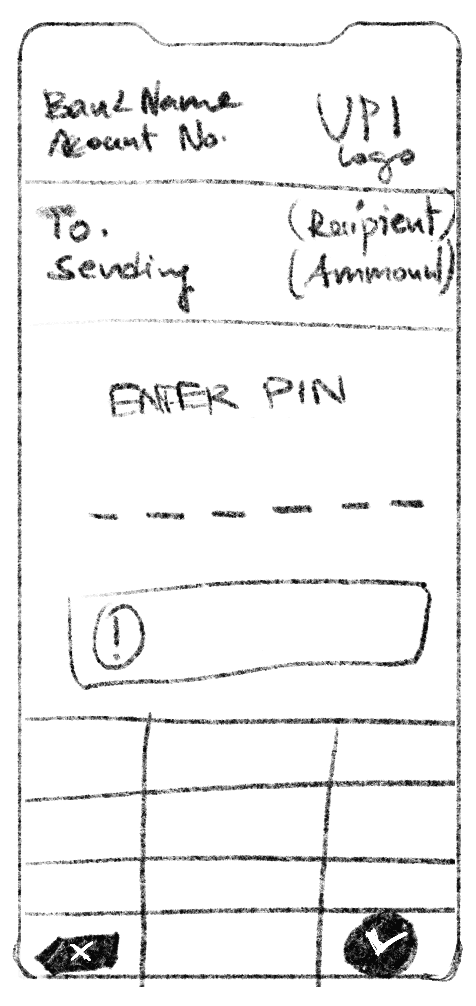
Continue with existing payment process
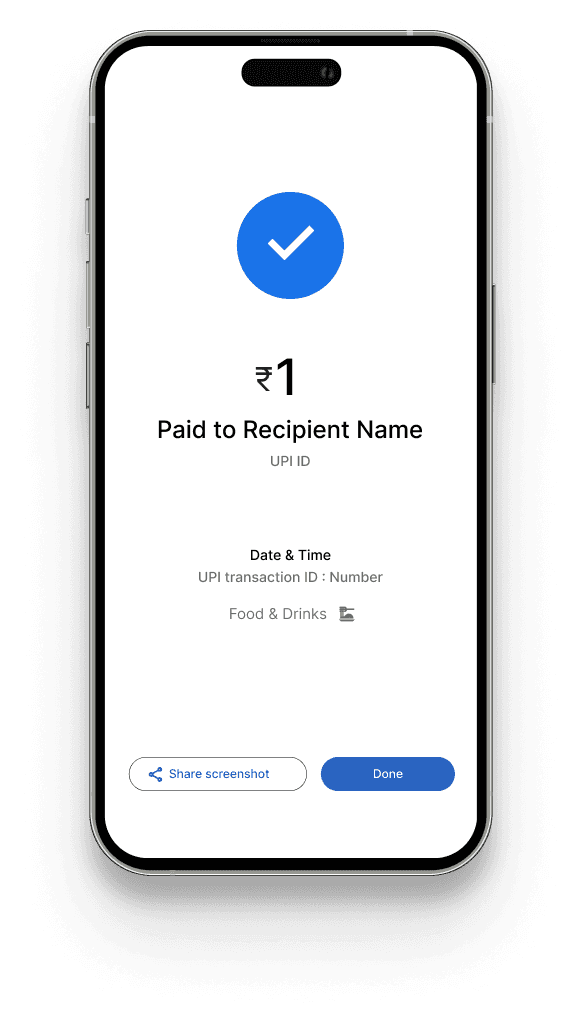
Once the payment is done, user will see the category in the screen
Newly added Category
List of pre-populated categories
The categories are created based on user needs and their frequent transactions and merchant registrations.

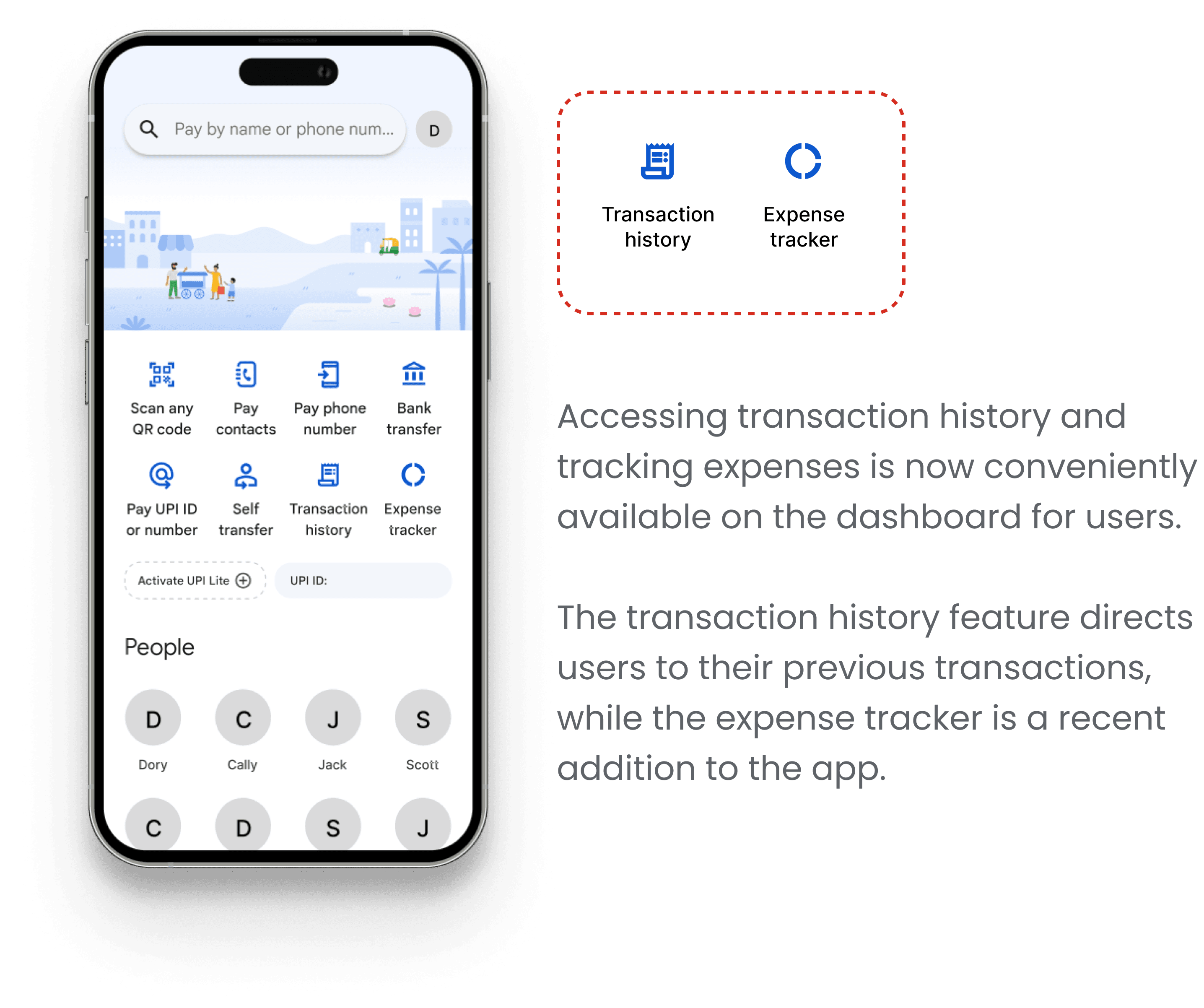
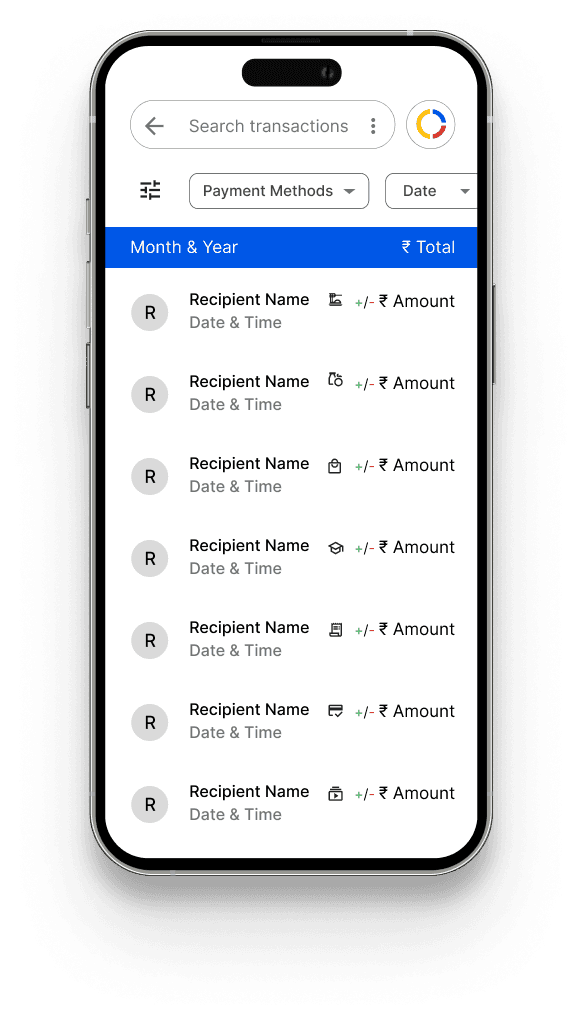
In the top right corner, there's an icon resembling a pie chart, providing convenient access to the expense tracker directly from the transaction history screen.
Alongside the recipient's name, date, and time, smaller icons signify the category selected by the user during the transaction.